Voice of Democracy
Download the current theme and entry packet. Recruit eligible students in grades 9–12, collect the audio essays and paperwork, hold Post judging, and forward the winner and participation totals by the District deadline.
POST & DISTRICT TRAINING
Practical guides for running Post programs, reporting activity, and getting started as a VFW officer.
U.S. Army soldiers on patrol in Afghanistan, April 13, 2011. Army / DVIDS archival photograph.
Use the current program packet and confirm District deadlines before starting a competition or submitting a report.
Download the current theme and entry packet. Recruit eligible students in grades 9–12, collect the audio essays and paperwork, hold Post judging, and forward the winner and participation totals by the District deadline.
Download the current theme and entry packet. Invite students in grades 6–8, collect written essays and signed forms, judge entries, and send the winner and participation totals to the District chair.
Use the current nomination form, check the grade-level categories, assemble the nomination materials, and send the Post selection to the District chair by the applicable deadline.
Plan the activity and designate a recordkeeper. Record the date, work completed, volunteers, hours, and people served where applicable. Check Connecticut’s reporting directions and coordinate with the Post adjutant. Day of Service registration and reporting a completed project are separate steps.
Choose a distribution site, arrange volunteers and supplies, and coordinate donation handling and accounting with the quartermaster. Use national guidance for the Poppy program and relief fund.
Check the current eligibility and application packet. Collect supporting materials, review the nomination at the Post, and confirm where and when to forward the selection.
Choose the program that fits the need, such as Military Assistance Program support for a military unit. Review the national toolkit, coordinate with your chair, and use the applicable form and reporting process.
Members can review eligibility status. The published training guide assigns program entry and approval functions to adjutants according to their reporting level.
If Entries is missing, check with your adjutant or the Department to confirm the election report and the account’s reporting permissions. Check the current program-year rules for items credited separately.
VFW member sign-in is required.
See screenshots of Entries, status, Actions, and reports.
See how registration credit differs from reporting a completed service project.
Department-hosted reference for financial reporting, federal tax information, and member services. Check My VFW for the current edition.
Download the Post inspection package and quarterly Trustees’ Report of Audit.
Find Department instructions for submitting Post documents.
For current guides, sign in to VFW.org and go to My VFW → Member/Post Resources → Bylaws: Training, Forms & Templates. Use the current National Bylaws, Manual of Procedure, and Ritual alongside the role guides.
Department instructions for opening the national guides and their individual sections.
National reference for officer responsibilities and Post administration.
Department resources and updates for Post administration and reporting.
Check the Department’s training information for Schools of Instruction.
Review the duties of each office, confirm appointments and committee chairs, set the meeting and reporting calendar, and check who has access to the systems each officer uses. Review open items with the outgoing officers and agree on owners and due dates.
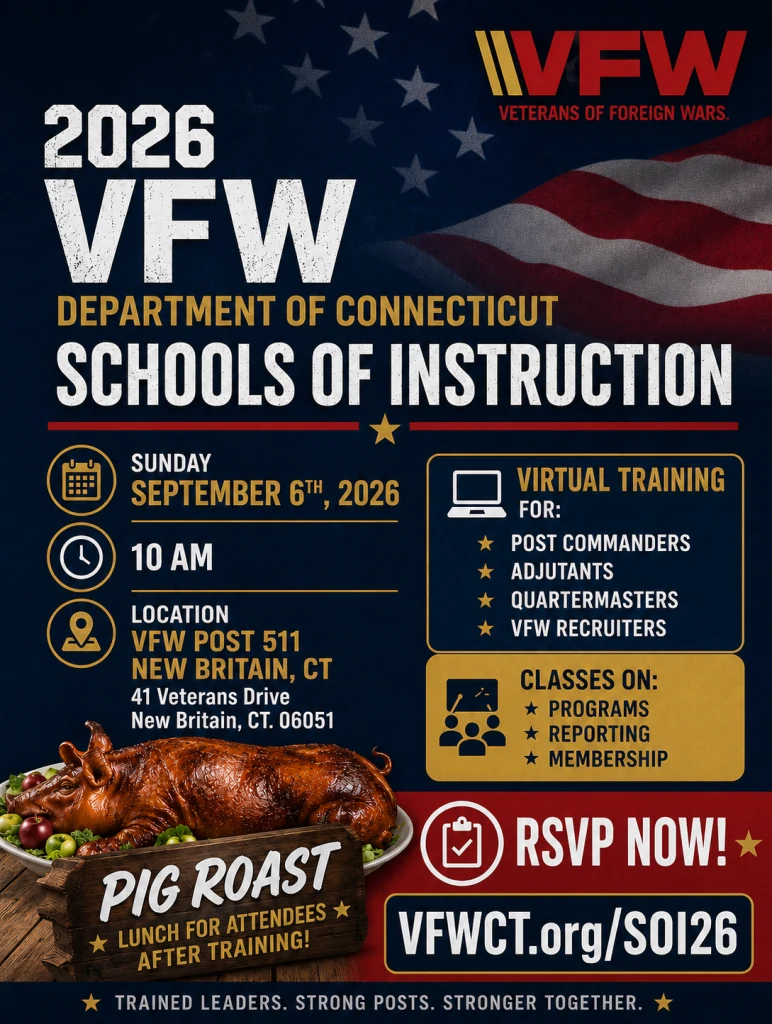
VFW Connecticut’s annual Schools of Instruction help new and returning officers learn about Post programs, reporting, and membership.

Sign in to My VFW and open Member/Post Resources → Bylaws: Training, Forms & Templates for the current National Bylaws and Manual of Procedure.
Open the 2025 Department bylaws linked from the official Connecticut VFW Department Information page.
Open the signed bylaws of VFW Connecticut District 1.